


Cleanup: Phone Storage Cleaner
4.47.55K Reviews
App Specs
- Version
- 1.4.7
- Updated On
- License
- Free
- Downloads
- 10,000,000+
- Developer
- Deep Flow Apps
- Categories
- Tools
- Platform
- Android
Screenshots


 Analysis by AppCompare
When my phone starts warning me about storage, I don’t want to spend an evening guessing which files are safe to remove. I want a clear way to find the clutter, check what matters, and make the final call myself. That is the decision I would use to judge Cleanup: Phone Storage Cleaner: does it make tidying less of a chore without encouraging me to delete things I might miss?
This is a free tools app from Deep Flow Apps, with optional in-app purchases ranging from $6.99 to $39.99 per item. It is rated for Everyone, and the current version is 1.0.6. Those details make it worth checking the purchase options before committing to anything beyond basic use. Its 4.3 average from around 40,000 ratings and more than a million installs suggest plenty of people have tried it, but popularity alone cannot tell you whether its approach suits your habits.
What I would check before cleaning
Storage cleanup is not simply a matter of making the number on a settings screen smaller. Photos may be the only copy of a family moment, and a large file may be something you still need. My practical test is whether an app helps me inspect candidates rather than turning cleanup into a one-tap gamble. I would review any proposed deletion before confirming it, especially when similar-looking photos are involved.
I would also start with one category at a time. If I am short on space before recording a video, I would first look for obvious duplicates or items I can replace, then check how much room remains. That slower approach is more useful than clearing everything in one sweep: it makes the result easier to understand and lowers the chance of removing something by mistake.
The Basics of Cleanup
First off, downloading the Cleanup: Phone Storage Cleaner app is a breeze. It's available for both Android and iOS, so no one’s left out. Once installed, you're greeted by a clean, user-friendly interface that even your tech-challenged grandma could navigate.
Features That Shine
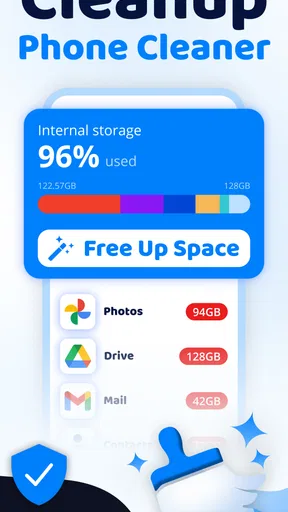
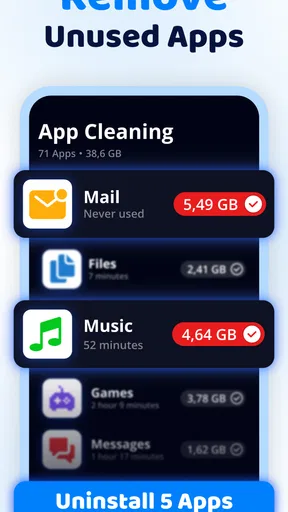
So, what does this app do? Well, it’s like a digital Marie Kondo for your phone. It scans your device for junk files, duplicate photos, and apps you haven't used since who-knows-when. This is perfect for folks like me who hoard apps "just in case."
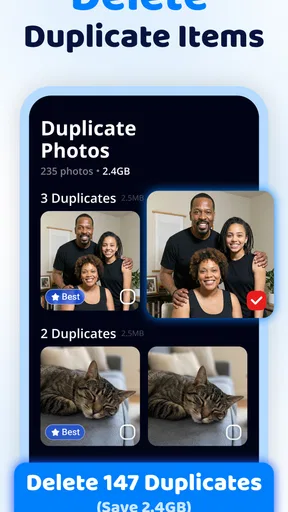
One feature I particularly loved is the smart photo cleaner. It identifies similar photos and helps you decide which ones to keep. It's like having a personal assistant for your photo albums. There's also a cache cleaner, which is a lifesaver for freeing up space without having to delete your precious memes.
Worth Reading Before You Choose

Switching to Android Auto Means Rethinking Your Driving Routine

Google Calendar Makes a Crowded Week Easier to Manage

Baby Panda World Brings Quick Play to Modern Phones, but Its Game Library Feels Busy

ESPN’s Live Game View Makes Following Close Games Easier

QuizzLand Review: A Good Fit for Short Trivia Breaks, Not Every Player

Basketball Stars: Multiplayer Is Fast, but Can It Recover When Matches Go Wrong?
Making photo decisions less risky
Similar images are where an automatic-looking result can be misleading. A burst of photos may contain several nearly identical shots, yet one might have a better expression or a detail that matters to you. I would treat the cleaner’s suggestions as a shortlist, not a verdict: compare the images at full size, check the date and context, and keep the original until I am certain the replacement is the one I want.
A useful habit is to do this while you have time and a stable connection to any photo backup you already use, rather than in a rush when storage is full. A backup can be convenient, but I would still verify that the pictures I care about are actually available there before deleting local copies. Cleanup can help identify candidates; it cannot make personal choices on your behalf.
Does It Really Work?
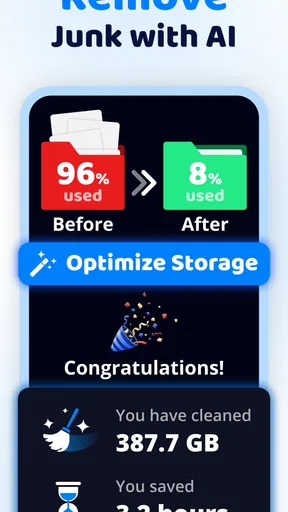
Now, the million-dollar question: does it actually help? After running the app, my phone’s performance noticeably improved, and I freed up about 2GB of space. Not too shabby, right? My device was definitely snappier, and I didn’t even have to delete any of my favorite apps.
Another cool aspect is the app's low impact on battery life. It doesn’t drain your phone, which is a huge plus. I’ve used similar apps before that left my phone gasping for battery life, so this was a refreshing change.
Where it fits beside built-in tools
On a typical day, I would reach for this sort of cleaner when I have a clear goal: make room for a long trip’s photos, free space before downloading a large file, or sort through a camera roll that has collected repeated shots. A focused scan can save the effort of hunting across folders. I would still use the phone’s own storage settings when I want a broad overview or need to check which apps occupy the most room; those settings are a sensible first stop and do not require adding another tool.
The trade-off is convenience versus control. A dedicated cleaner may bring several cleanup tasks together, while manual sorting gives me a closer look at each item and avoids acting on recommendations I have not reviewed. For a camera roll with many near-duplicates, the app’s photo-focused approach is the more appealing route. For someone who only needs to remove one known download or uninstall a single large app, the built-in method may be quicker.
A realistic cleanup routine
Imagine I am about to leave for a weekend away and notice there is not enough room for more pictures. I would open the cleaner before the rush, review similar photos from old outings, and remove only the ones I recognize as unwanted. Then I would check the phone’s storage screen to see whether that was enough, rather than assuming every suggested cleanup is necessary. If the remaining space is still tight, I could decide whether an app or offline file is genuinely expendable.
That sequence is deliberately cautious. It prevents a common mistake: clearing a large batch because the app found it, then realizing later that the batch included something useful. It also helps answer whether the cleaner is solving the actual problem. If photos are not taking up much room, a photo-focused pass may not change much, and looking at other storage categories is the better next move.
Who should use it—and who may prefer another route
I can see this being useful for people who take lots of pictures, keep several versions of the same shot, or want a guided way to review clutter instead of navigating storage manually. It may also suit anyone who finds phone settings confusing and wants cleanup tasks presented in a more approachable form. The broad Everyone age rating makes it accessible as a general utility, though I would still supervise deletion decisions on a shared family device.
I would skip it if I already keep my files organized, rarely run low on space, or prefer to inspect every folder myself. It is also not the right answer to every performance problem: freeing storage may address a space shortage, but it should not be treated as a guaranteed fix for a slow phone. If I suspect a particular app or system issue, I would investigate that directly rather than expecting a cleaner to diagnose it.
What to consider before paying or switching
The app is free to try, but the presence of paid items means I would look carefully at what is included before making a purchase. I would first test whether its basic cleanup workflow actually fits my routine and whether I can review suggested changes comfortably. The listed purchase range is broad enough that I would avoid tapping through an upgrade screen without understanding which option I am selecting and whether I need it.
Switching from manual cleanup has a small but real learning cost: I would need to understand how its suggestions are grouped and build the habit of checking them before deletion. Moving away from a cleaner later is less of a commitment if I treat it as an occasional helper rather than the sole place I manage files. Either way, keep the phone’s own storage tools in mind; they remain useful for checking results and handling items the cleaner does not address.
Final Thoughts
So, is Cleanup: Phone Storage Cleaner worth it? If you're struggling with storage issues and want to give your phone a new lease on life, I’d say go for it. It’s easy to use, effective, and doesn’t bombard you with ads every two seconds.
In a world where everything seems to be getting more complicated, it's nice to find an app that just does what it says on the tin. Give it a try and see if it sparks joy in your digital life!
My recommendation
I would start with a small, low-risk cleanup and judge the app by how clearly it helps me decide what to keep, not by how much it offers to remove. It is most compelling when duplicate-photo review is the task I have been putting off; for occasional, simple deletions, the phone’s built-in controls may be enough. If you value a guided workflow and are willing to check suggestions carefully, this is a reasonable tool to try. If you want total manual control or expect storage cleanup alone to transform your phone, I would choose a different approach.
Pros
- Efficiently frees up storage space.
- User-friendly interface for all ages.
- Quick scan and cleaning options.
- Customizable cleaning settings.
- Enhances overall device performance.
Cons
- Contains in-app advertisements.
- Limited features in free version.
- May delete important files if unchecked.
- Occasional app performance lags.
- Requires frequent updates for best use.
FAQs for Cleanup: Phone Storage Cleaner
What features does Cleanup: Phone Storage Cleaner offer?
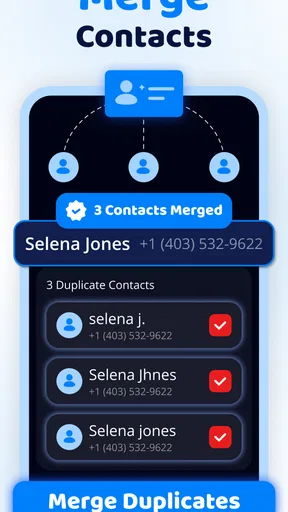
Cleanup: Phone Storage Cleaner provides a range of features designed to optimize your device's storage. It efficiently removes junk files, clears cache, and deletes duplicate photos. Additionally, the app offers a comprehensive storage analysis to help you understand how your space is being used, ensuring a smoother and faster device performance.
Is Cleanup: Phone Storage Cleaner safe to use?
Yes, Cleanup: Phone Storage Cleaner is safe to use. The app is designed to protect your data while optimizing storage. It does not delete any personal files without your permission. Always ensure you download the app from reputable sources like the Google Play Store or Apple App Store to avoid counterfeit versions.
Does Cleanup: Phone Storage Cleaner support all Android and iOS devices?
Cleanup: Phone Storage Cleaner is compatible with most Android and iOS devices. However, it's recommended to check the app’s requirements on the respective app store page for any specific device limitations or OS version requirements to ensure full compatibility and functionality.
Are there any in-app purchases or subscriptions?
While Cleanup: Phone Storage Cleaner offers a free version with basic features, it also includes in-app purchases for premium features. These may include advanced cleaning options or ad removal. Users can choose a subscription plan that best fits their needs to enhance their app experience.
How often should I use Cleanup: Phone Storage Cleaner?
It's recommended to use Cleanup: Phone Storage Cleaner regularly, depending on your device usage. For frequent users, a weekly cleanup can help maintain optimal performance. The app can also send notifications or reminders to prompt you when your storage is getting full and requires attention.


